If your book is simple and you'll sell it only on Amazon, Kindle Create's price is hard to argue with. If you plan to sell in several stores, want more design control, or would like feedback before formatting, LiberScript fits better. This guide explains the differences in detail, using Amazon's own help pages and LiberScript's published pricing.
At a glance
| Kindle Create | LiberScript | |
|---|---|---|
| Price | Free | $3.99 day, $9.99 week, $29.99 month, $99.99 year, $299.99 lifetime |
| Runs on | Windows and Mac (download) | Any browser |
| Output | KPF (Amazon) and EPUB; paperback formatting | Print-ready PDF, EPUB, DOCX |
| Book types | Reflowable, print replica, comics | Reflowable ebooks and print books |
| Writing and critique | No; formats a finished manuscript | Write or import; AI-assisted critique; planner |
| Services | No | Editing, formatting, covers, quoted per project |
Checked October 2026 at kdp.amazon.com and liberscript.com.
What Kindle Create does
Kindle Create takes a finished manuscript, usually a Word file, and helps you turn it into a Kindle ebook and a KDP paperback. It detects chapters, lets you apply a theme, and handles the fiddly parts of paperback layout: margins are calculated automatically and page numbers are added to the table of contents and footers, and Amazon says books prepared this way can be published in any KDP trim size. It supports three kinds of books: reflowable text, print replica books for layouts that must stay fixed, and comics with Guided View.
Its preferred output is Kindle Package Format (KPF), which KDP uses for both Kindle ebooks and paperbacks. It can also export EPUB. For an author publishing only on Amazon, that's everything needed, for free.
What LiberScript does
LiberScript covers more of the process. You can write in its editor or import a manuscript, set word goals and plan story beats, keep sticky notes, and run an AI-assisted critique that reviews your manuscript chapter by chapter before you format. The design studio then lets you set typography, headings and page layout with a live preview, and export print-ready PDF at your chosen trim size, EPUB, and DOCX. Because the files are standard, they work on KDP, BooksOasis, Kobo, Apple Books, Google Play, IngramSpark and anywhere else.
LiberScript also offers done-for-you ghostwriting, editing, formatting and cover design, quoted per project, if you'd rather hand some of the work over.
Price
Kindle Create is free. LiberScript charges for time: $3.99 for a day, $9.99 for a week, $29.99 for a month, $99.99 for a year, or $299.99 once for lifetime access. For a single book formatted in a focused week, LiberScript costs $9.99; for an author writing all year, the annual or lifetime plan makes more sense. The question isn't whether LiberScript costs more than free, it's whether its extra reach, control and tools are worth that price for your book.
The big difference: publishing beyond Amazon
Kindle Create is designed around KDP. Its KPF files are for Amazon, and while it can export EPUB, the workflow assumes Amazon is your destination. If you only publish on KDP, that's fine.
Most authors who want to reach readers beyond Amazon need standard files: an EPUB for ebook stores and a print-ready PDF for printers. LiberScript produces exactly those, so the same book can go to KDP, to stores where you keep more of each sale, and to printers that reach bookshops. If you plan to publish wide, or might in future, it's worth formatting in a tool whose files travel.
Formatting control
Kindle Create keeps things simple: choose a theme, adjust a limited set of options for chapter headings, titles and page numbers, and preview. That simplicity is a strength for plain novels and a limitation for books where you want a particular look.
LiberScript's design studio gives you more direct control over fonts, heading styles, spacing and page layout, with a live preview of the interior as you change settings. For authors who care about how the book looks on the page, or whose genre has particular expectations, that control matters.
Before formatting: writing and feedback
Kindle Create starts with a finished manuscript. LiberScript can start earlier: you can draft in it, and its AI-assisted critique highlights issues such as pacing, clarity and consistency before you lock in the layout. Fixing problems before formatting is much cheaper than after, when every change can shift page breaks and, in print, the page count and cover.
A formatting session in each
In Kindle Create, you download and install the app, open your Word manuscript, confirm the detected chapters, choose a theme and adjust options, add elements such as a title page, and preview on simulated Kindle devices and paperback pages. Then you save a KPF file and upload it to KDP for your ebook and paperback.
In LiberScript, you open the browser workspace, import the manuscript or continue writing, optionally run the critique and revise, set the design with a live preview, choose a trim size, and export an EPUB for ebook stores, a print-ready PDF for printers and, if needed, a DOCX for an editor. The same files then go to every store you use.
Print books
Kindle Create can prepare KDP paperbacks, with automatic margins and page numbers. LiberScript exports a print-ready PDF at your trim size for any printer. Either way, build your cover last, from your printer's own template, because the spine width depends on the final page count. On BooksOasis, for example, uploading the interior shows the exact cover size and spine width and offers a downloadable template.
Series and updates
Series books benefit from consistent formatting: the same fonts, heading style, scene breaks and trim size in every volume. In Kindle Create you reapply the same theme and options for each book. In LiberScript you keep the same design settings across books, and because the files are standard, every volume can go to the same set of stores. When you revise a book later, for a typo fix or an updated back matter link, re-export and upload to each store. Keep the final files for every book with its manuscript, so updates are quick.
Cost in context
Formatting is a small part of what a book costs, beside editing and a cover, but it affects every sale. A clean, attractive interior earns better reviews and fewer returns, and standard files let you sell in more places. For a simple Amazon-only book, free may be all you need. For a book you'll sell widely for years, the price of a week or a month of a fuller tool is modest against the reach and polish it gives you.
When Kindle Create fits better
- You publish only on Amazon, and your book is a straightforward novel or non-fiction.
- You want a free tool and don't need much design control.
- You're making a print replica book or a comic for Kindle.
- You'd like to learn the basics of formatting before paying for a fuller tool.
When LiberScript fits better
- You publish in several stores, or might in future, and need standard EPUB and PDF files.
- You want more control over the look of your interior.
- You'd like an AI-assisted critique before formatting.
- You need DOCX exports for editors, or may want done-for-you help.
- You work on a Chromebook or several computers.
- You want one set of files for every store and printer, so each update is a single export.
Using both
Some authors use both: Kindle Create for a quick KDP-only project, and LiberScript for books they publish widely. If you format in LiberScript, you don't need Kindle Create at all, since KDP accepts its EPUB for ebooks and its PDF for paperbacks. Either way, preview the ebook in Kindle Previewer or on a Kindle app before publishing on Amazon, since each store's reading app renders files a little differently.
Three authors, three choices
A first-time author publishing a short novel only in Kindle Unlimited formats it in Kindle Create for free and uploads the KPF to KDP.
A non-fiction author selling on Amazon, BooksOasis and Apple Books formats in LiberScript and uploads the same EPUB and print PDF everywhere.
A memoirist who wants feedback before paying an editor runs LiberScript's critique, revises for a month, then formats and exports for every store.
Checks before you upload anything
Whatever tool you use, open the ebook on a phone and a tablet, click through the table of contents, and look for stranded headings and oversized images. Check the print PDF at actual size, page by page, paying attention to the gutter on long books. Order a printed proof if you can. These checks take an hour and save you from the small errors readers notice.
Publishing the files on BooksOasis
BooksOasis takes an EPUB for the ebook and an interior PDF plus a full-wrap cover PDF for each print edition. If you've used Kindle Create, export EPUB for the ebook; for print, you'll need a print-ready PDF, which LiberScript and most dedicated tools export. After you upload the interior, BooksOasis quotes the printing cost, shows the exact cover size and spine width with a template, and runs an automatic print-readiness check before review.
Where BooksOasis fits
- Accepts standard EPUB and print-ready PDFs from any tool.
- Automatic print-readiness check and an exact cover template.
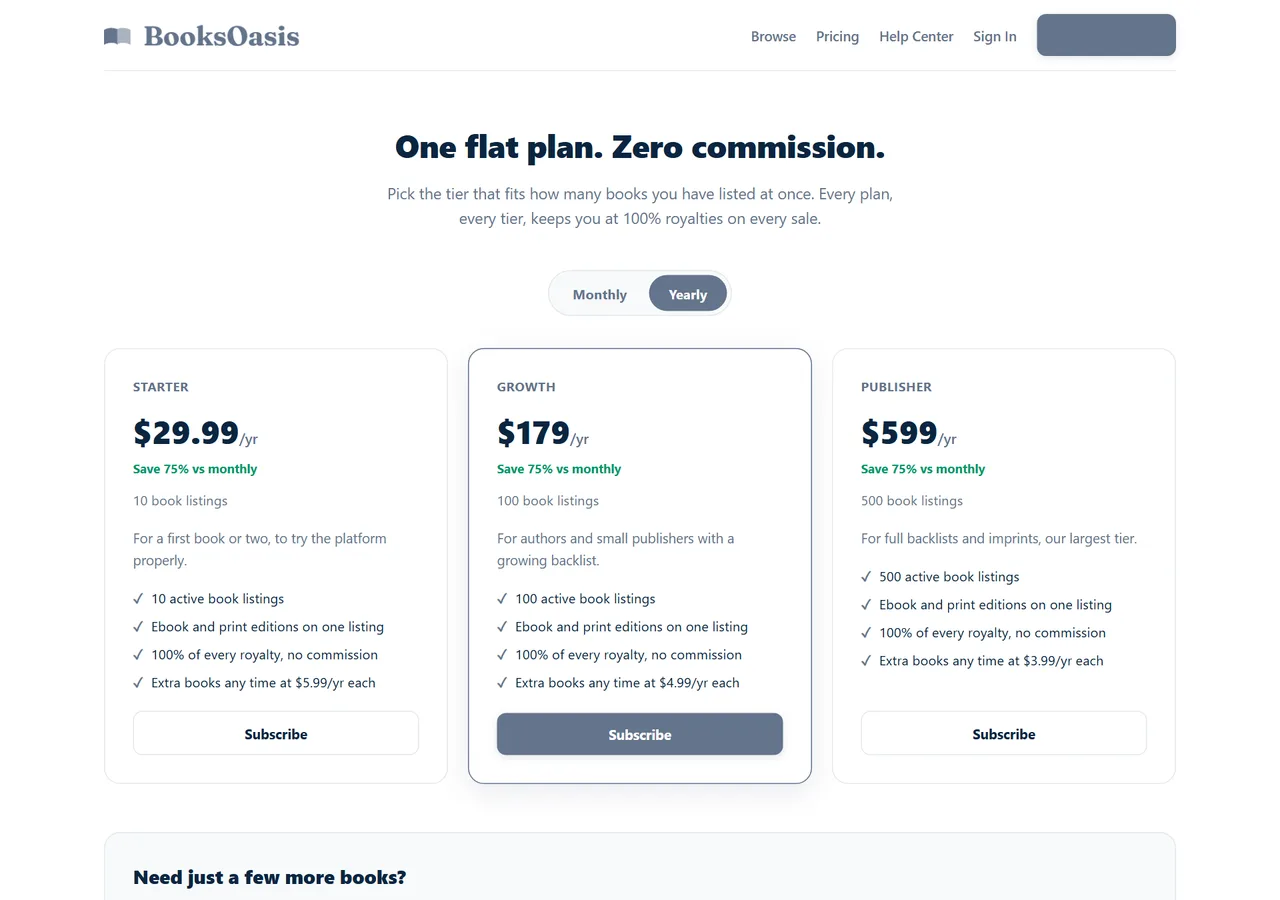
- 100% of every ebook sale; plans from $29.99 a year.
What it doesn't do: BooksOasis doesn't accept KPF files, format manuscripts or design covers.
See plans and pricingSources
Checked October 2026: KDP: getting started with Kindle Create; KDP: prepare your ebook and paperback with Kindle Create; LiberScript pricing.
In short
Kindle Create is a free, sensible choice for simple books sold only on Amazon. LiberScript is the better fit when you publish in several stores, want more design control, or want writing and feedback tools in the same place, with standard files that work everywhere, including BooksOasis.
Questions
Is Kindle Create free?
Yes. Kindle Create is Amazon's free formatting tool for Windows and Mac.
What files does Kindle Create export?
Kindle Package Format (KPF), Amazon's preferred format for Kindle ebooks and paperbacks, and EPUB.
Can I use Kindle Create files outside Amazon?
KPF is built for Amazon. For other stores, export EPUB from Kindle Create or use a tool that produces standard EPUB and print-ready PDF files.
What does LiberScript cost?
$3.99 for a day, $9.99 for a week, $29.99 for a month, $99.99 for a year or $299.99 for lifetime access.
Which gives more design control?
LiberScript's design studio offers more control over typography and layout, with a live preview. Kindle Create uses themes with simpler options.
Does Kindle Create format paperbacks?
Yes. It calculates margins automatically, adds page numbers, and can be used for any KDP trim size.
Does LiberScript give feedback on my writing?
Yes. It includes an AI-assisted critique of the manuscript. Kindle Create is a formatting tool only.
Which should I use if I only sell on Amazon?
Kindle Create is a sensible free choice for a simple book sold only on Amazon. If you sell in several stores, or want more control, LiberScript produces standard files for all of them.
Can I upload LiberScript files to KDP?
Yes. KDP accepts EPUB for ebooks and PDF for paperbacks, both of which LiberScript exports.
Will Kindle Create files work on BooksOasis?
BooksOasis needs an EPUB for the ebook and print-ready PDFs for print. Export EPUB from Kindle Create, or use a tool that exports both.
Publish beyond Amazon
Upload an EPUB and print PDF to BooksOasis and keep 100% of every ebook sale.