If you format several books a year, both are strong choices, and the right one depends on how you like to work. This guide compares them on price, platforms, writing tools, formatting, exports and support, with prices checked at each company's site. It ends with a simple way to decide.
At a glance
| LiberScript | Atticus | |
|---|---|---|
| Price | $3.99 day, $9.99 week, $29.99 month, $99.99 year, $299.99 lifetime | $147 one time, updates included |
| Guarantee or trial | Low-cost day plan | 30-day money-back guarantee |
| Runs on | Browser, any computer | Windows, Mac, Linux, Chromebook, browser; works offline |
| Writing | Write or import; planner and notes | Write or import |
| Feedback | AI-assisted manuscript critique | Not a focus |
| Formatting | Design studio with live preview | Themes you can customise |
| Exports | Print-ready PDF, EPUB, DOCX | Ebook and print-ready PDF |
| Done-for-you help | Editing, formatting, cover design, quoted per project | No |
Checked October 2026 at liberscript.com and atticus.io.
Pricing: one-time vs. time-based
Atticus is a single $147 purchase that covers unlimited books and all future updates, with a 30-day money-back guarantee. Pay once and it's yours, for as many books as you write.
LiberScript sells access by time: $3.99 for a day, $9.99 for a week, $29.99 for a month, $99.99 for a year, or $299.99 for lifetime access. That suits a different kind of author. If you format one book in a focused week, you pay $9.99. If you write steadily all year, the annual or lifetime plan makes sense.
| Your situation | Lower cost |
|---|---|
| One book, formatted in a week | LiberScript week ($9.99) |
| Two or three books a year for a year | LiberScript annual ($99.99) or Atticus ($147) |
| Many books over several years | Atticus ($147) or LiberScript lifetime ($299.99) |
Platforms and working offline
Atticus runs on Windows, Mac, Linux and Chromebook, and in a browser on any desktop or tablet. It's a progressive web app, so it works offline once installed, which is handy for writing on the move.
LiberScript runs in the browser on any computer, so there's nothing to install and your work is available wherever you sign in. If you often write without a connection, Atticus's offline mode is an advantage; if you move between computers, LiberScript's browser workspace keeps everything in one place.
Writing and feedback
Both let you write a book from scratch or import a manuscript. LiberScript adds tools around the writing: a planner for goals and beats, sticky notes, and an AI-assisted critique that reads your manuscript and highlights issues chapter by chapter, from readiness to specific findings. For authors who want a second pair of eyes before paying an editor, that critique is LiberScript's standout feature. Atticus focuses on a clean writing and formatting experience.
Formatting and design
Atticus formats from themes you can customise: chapter headings, fonts, scene breaks, drop caps and more, previewed as you go. LiberScript's design studio shows your interior live as you change settings, with controls for typography, headings and page layout, and exports print-ready files at your chosen trim size. Both produce professional interiors for novels and most non-fiction; test your most complex chapter in each if your book has many images or tables.
Exports
Both export an ebook and a print-ready PDF. LiberScript also exports DOCX, which is useful when an editor, agent or co-author wants a Word file. Whichever tool you use, check the EPUB in several reading apps and the PDF at actual size before uploading.
Help beyond the software
LiberScript pairs the software with optional done-for-you services: ghostwriting, editing, formatting and cover design by specialists, quoted per project before you commit. If you'd rather hand over the formatting or the cover, you can stay in one place. Atticus is software only; for services, you'd hire separately.
Formatting a novel in each: a walkthrough
In Atticus, a typical session looks like this. You import your DOCX, and Atticus splits it into chapters. You pick a theme, adjust the heading style, body font, scene break ornament and drop caps, and preview the result as an ebook and as a printed page. You add front and back matter from its built-in elements, choose a trim size, and export an EPUB and a print PDF. For a straightforward novel, an afternoon is often enough.
In LiberScript, the session starts the same way: import the manuscript, or keep writing in the editor if the book was drafted there. Before formatting, many authors run the AI-assisted critique to catch pacing, clarity or consistency issues while changes are still cheap. Then the design studio takes over: typography, headings and page layout, previewed live, with exports to print-ready PDF, EPUB and DOCX. The extra critique step adds time, but it can save a round of revisions after formatting, when every change risks shifting page breaks.
Non-fiction and complex books
Both tools handle the core of most non-fiction well: headings, lists, block quotes, images and footnotes or endnotes. Books with many tables, complex figures or unusual layouts are where tools differ most, and where it's worth testing before you commit. Take your most complex chapter, format it in each tool, and check the print PDF at actual size and the EPUB on a phone. If neither gives you the control you need, a professional layout designer may be the right call, and LiberScript's done-for-you formatting is one route to that without leaving the tool.
Cost over three years
Suppose you publish two books a year for three years. With Atticus, you pay $147 once and nothing more. With LiberScript, you could buy a week for each book ($9.99 x 6 = about $60), an annual plan each year (about $300 in total), or lifetime access once ($299.99). The week plans are cheapest if you work in focused bursts; the annual plan suits authors who write in the tool all year; lifetime access removes the question entirely. The right answer depends less on price than on whether you'll use LiberScript's writing and critique tools between formatting sessions.
Three authors, three choices
A thriller writer who drafts in another app and only needs formatting chooses Atticus: one payment, fast themes, and offline work on a laptop during commutes.
A first-time memoirist who wants feedback before paying an editor chooses LiberScript for a month, runs the critique, revises, formats, and exports all three file types.
A small press formatting books for several authors chooses LiberScript's lifetime plan for its browser workspace and DOCX exports for editors, and hands complex covers to LiberScript's design service.
Which to choose
| If you... | Choose |
|---|---|
| Want to pay once and own it | Atticus |
| Write offline often | Atticus |
| Want an AI-assisted critique before editing | LiberScript |
| Format one book in a short, focused burst | LiberScript (day or week plan) |
| Need DOCX exports for editors | LiberScript |
| May want to hand over formatting or covers | LiberScript |
Getting your files right, whichever you use
- Choose the trim size first, and use the same one on every printer.
- Give the gutter room as page count grows. See book print margins.
- Finish the interior before the cover, since page count sets spine width.
- Preview on real devices: a phone for the ebook, printed pages or a proof for print.
- Save your settings as a template so every book in a series matches, from fonts to scene breaks.
- Keep the final exports with the manuscript, so a future revision starts from known-good files.
Updates and longevity
Atticus includes all future updates in its one-time price, so the tool improves without further cost. LiberScript is a web app, so every user always has the current version the moment it's released, with nothing to download; your plan decides how long you have access. Either way, keep your own copies of the final exported files for every book, alongside the original manuscript. Stores ask for fresh files whenever you revise a book, and having them to hand makes updates painless, whatever tool you use next year.
What both get right
It's worth saying that either tool is a big step up from formatting in a word processor. Both apply consistent styles automatically, keep chapter openings clean, generate a working ebook table of contents, and export print PDFs at standard trim sizes. The choice between them is about workflow and pricing, not about whether your book will look professional. Pick the one that fits the way you write, and spend the time you save on the next book.
Switching between them
Both import DOCX, so moving a book from one to the other is straightforward: export a DOCX (LiberScript does this directly), import it into the other tool, and reapply your design. Expect to check chapter headings, scene breaks and front matter after any import. If you're undecided, format one chapter in each and compare the exports side by side, on a phone and on printed pages.
Publishing the files on BooksOasis
Whichever tool you choose, BooksOasis accepts its output: an EPUB for the ebook, and an interior PDF plus a full-wrap cover PDF for each print edition. After you upload the interior, BooksOasis reads the page count, quotes the printing cost, and shows the exact cover size and spine width with a downloadable template. An automatic print-readiness check tests both files before review, and Preview shows the interior as printed spreads with the margins and gutter marked.
Where BooksOasis fits
- Accepts EPUB and print PDFs from LiberScript, Atticus and every other tool.
- Automatic print-readiness check and an exact cover template.
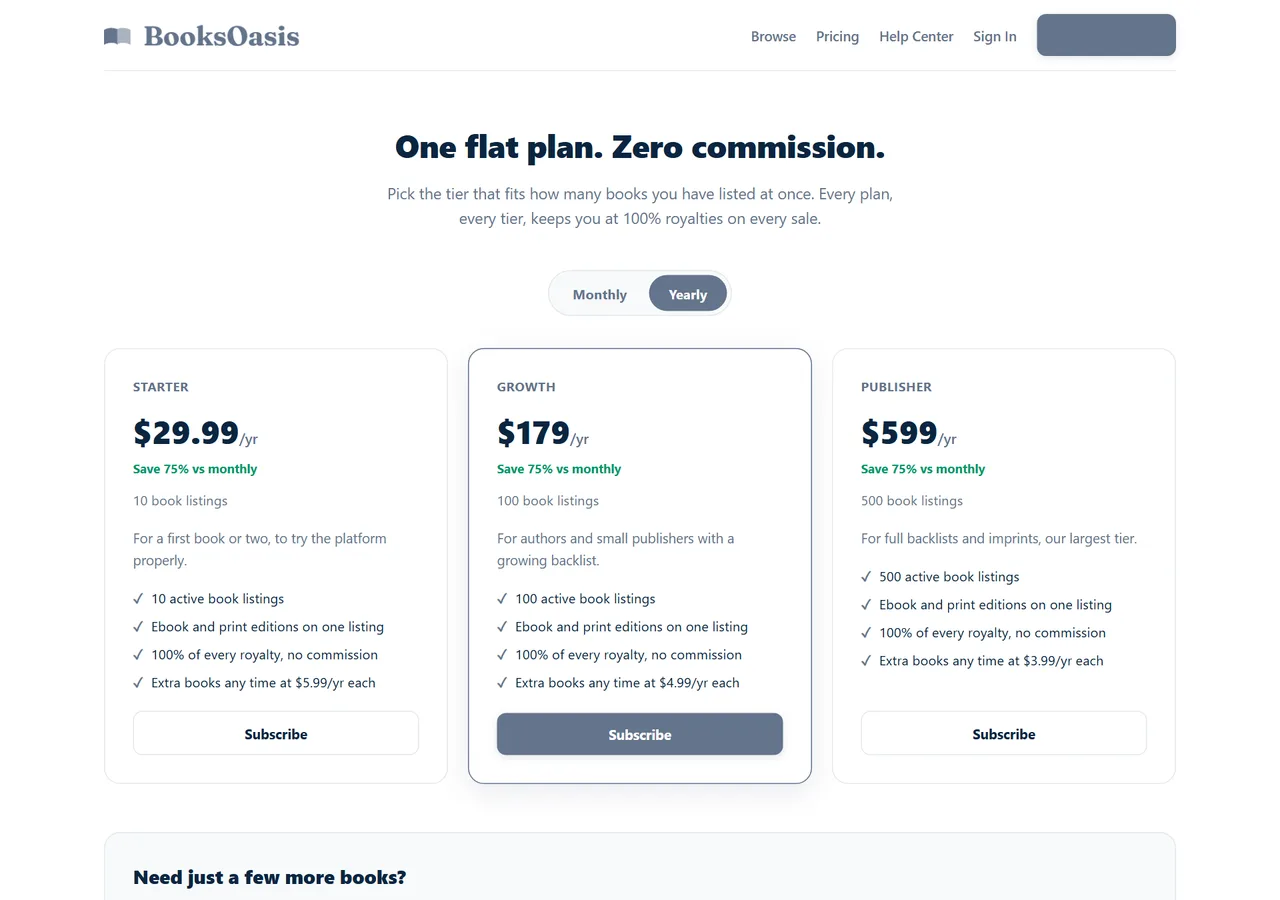
- 100% of every ebook sale; plans from $29.99 a year.
What it doesn't do: BooksOasis doesn't format manuscripts or design covers.
See plans and pricingSources
Checked October 2026: LiberScript pricing; LiberScript: how it works; Atticus.
In short
Choose Atticus if you want to pay once, work across many devices and write offline. Choose LiberScript if you want an AI-assisted critique, DOCX exports and the option of done-for-you help, or if you format in short bursts where a day or week plan costs less. Both produce clean files you can publish anywhere, including BooksOasis.
Questions
What is the main difference between LiberScript and Atticus?
Both write and format books. Atticus is a one-time $147 purchase that runs on almost any device. LiberScript runs in the browser on time-based plans and adds an AI-assisted critique of your manuscript, plus optional done-for-you services.
How much does LiberScript cost?
$3.99 for a day, $9.99 for a week, $29.99 for a month, $99.99 for a year or $299.99 for lifetime access.
How much does Atticus cost?
$147 once, with all future updates included and a 30-day money-back guarantee.
Do both work on Windows and Mac?
Yes. Atticus runs on Windows, Mac, Linux, Chromebook and in the browser. LiberScript runs in the browser on any computer.
Which exports more formats?
LiberScript exports print-ready PDF, EPUB and DOCX. Atticus exports ebooks and print-ready PDFs.
Which is cheaper?
For one book formatted in a week, LiberScript's $9.99 week plan. For many books over several years, Atticus's one-time $147 or LiberScript's lifetime plan.
Can I import a Word manuscript into both?
Yes. Both import DOCX manuscripts.
Which is better for feedback on my writing?
LiberScript includes an AI-assisted critique of the manuscript. Atticus focuses on writing and formatting.
Can I use the files on BooksOasis?
Yes. BooksOasis accepts EPUB for the ebook and print-ready interior and cover PDFs, and checks print files automatically.
Is there a free trial?
Atticus offers a 30-day money-back guarantee. LiberScript's $3.99 day plan works as a low-cost trial.
Publish what you format
Upload EPUB and print PDFs from either tool; keep 100% of every ebook sale.