Self-publishing gives you control over your book, your prices and your rights, and a far larger share of each sale than traditional publishing. It also makes you the publisher, responsible for every decision. This guide walks through the whole process in order, with practical advice and realistic costs.
The self-publishing process at a glance
- Finish the manuscript.A complete draft, revised until you are happy with it.
- Edit.Developmental, line and copy editing, then a proofread.
- Design the cover.A front cover for ebooks, and full wraps for print.
- Format.An EPUB for ebooks and interior PDFs for print.
- Sort ISBNs and metadata.Title, subtitle, description, categories and keywords.
- Choose platforms.Retailers, aggregators, print distribution and direct stores.
- Set prices.Within royalty bands, and competitive for your genre.
- Upload and proof.Check every file and order print proofs.
- Launch.Tell your readers, gather reviews and run a launch offer.
- Keep going.Promote, write the next book and build your list.
Step 1: finish the manuscript
It sounds obvious, but many authors start thinking about covers and platforms long before the book is ready. Finish the draft, set it aside for a few weeks, then revise with fresh eyes. Read it aloud; you will catch clumsy sentences you never noticed on screen.
Beta readers, people in your target audience who read and give honest feedback, are invaluable at this stage. Ask them what confused them, where they lost interest and what they loved.
Step 2: edit properly
Editing is where self-published books most often fall short. There are several kinds:
| Type | What it fixes | When |
|---|---|---|
| Developmental editing | Structure, plot, pacing, argument | First, on the whole manuscript |
| Line editing | Sentence-level style and clarity | After structure is settled |
| Copy editing | Grammar, consistency, facts | Near final |
| Proofreading | Typos and formatting slips | Last, on the formatted files |
If budget is tight, prioritise a copy edit or at least a thorough proofread. Readers leave reviews about typos.
Step 3: design a cover that sells
Readers really do judge a book by its cover, especially as a thumbnail on a phone. A good cover signals the genre instantly, reads clearly at small sizes and looks like the bestsellers it will sit beside.
- Study your genre's bestsellers. Note colours, fonts and imagery.
- Hire a genre-experienced designer if you can; premade covers are an affordable alternative.
- Get every size you need: an ebook front cover, and full-wrap covers (back, spine, front) for each print format.
On BooksOasis, you need one front cover image, ideally 1600 by 2400 pixels, for the storefront, and a full-wrap cover PDF for each print edition. Once your interior is uploaded, BooksOasis shows the exact cover size and spine width and offers a downloadable template marking the trim, spine, safe area and barcode area.
Step 4: format your ebook and print interior
Ebooks and print books need different files:
- Ebook: an EPUB file, which reflows text to fit any screen. Most platforms, including BooksOasis, accept EPUB.
- Print: a PDF interior at your chosen trim size, with margins that suit your page count, and a full-wrap cover PDF.
You can format with free tools such as Reedsy Studio or Kindle Create, paid tools such as Vellum or Atticus, or careful use of Word styles. See how to format an ebook from Word.
Step 5: ISBNs and metadata
ISBNs: an ISBN identifies an edition of a book. Some platforms offer free identifiers that work only on that platform; for print books sold through bookshops, you usually need an ISBN you own, from your country's ISBN agency. Each format (ebook, paperback, hardcover) needs its own. See do you need an ISBN?
Metadata is everything that describes your book:
| Field | Tips |
|---|---|
| Title and subtitle | A subtitle is powerful for non-fiction; say what the book delivers |
| Description | Hook, stakes or promise, and why readers will love it; see writing a book description |
| Categories | Choose the most specific ones where your book genuinely fits |
| Keywords | Phrases readers type when looking for a book like yours |
| Author name | Use the same name, or pen name, consistently |
| Series | Name and number, so readers find the books in order |
Step 6: choose where to publish
| Goal | Platform |
|---|---|
| Reach Amazon's readers | Amazon KDP |
| Reach Apple, Kobo, B&N, Google, libraries | Direct accounts, or Draft2Digital |
| Bookshops and libraries in print | IngramSpark |
| Keep 100% of the ebook price and be discovered in a bookstore | BooksOasis |
| Sell files to your own list | Payhip, Books.by |
The big decision is KDP Select: it requires ebook exclusivity on Amazon in return for Kindle Unlimited income. See KDP Select vs going wide and the best self-publishing platforms.
Step 7: set your prices
- Look at your genre. Price like successful books similar to yours.
- Respect royalty bands. On Amazon.com, $2.99 to $12.99 earns 70%; outside it, 35%.
- Print must cover printing. Every platform has a minimum based on printing cost; on BooksOasis it is the printing cost plus a 30% handling fee on that cost.
- Keep prices consistent across stores.
Step 8: upload, check and proof
Upload your files carefully, fill every metadata field, and check the previews. For print, always order a proof copy and check the cover colours, spine text, margins and paper.
On BooksOasis, you create a book (a "Work") and add editions to it: an ebook needs a price and an EPUB; a paperback or hardcover needs a trim size, an interior PDF and a full-wrap cover PDF. The page count is read from your interior automatically, and a print-readiness check tests your files against the print specifications before you submit, so problems are caught early. Every book then passes a short moderation review before it goes live.
Step 9: launch
A book with no launch rarely finds readers. A simple launch plan:
- Tell your newsletter and social followers, with one clear link.
- Ask early readers for honest reviews.
- Run a launch price for the first week.
- Line up a few promotions in the first months.
- Link the next book in your back matter, even as a pre-order or "coming soon".
More in a book launch plan for indie authors.
Step 10: keep going
The single biggest factor in self-publishing income is the next book. Each new release sells the previous ones, especially in a series. Keep building your newsletter, revisit your covers and descriptions if sales stall, and keep writing.
What self-publishing costs
| Item | Do it yourself | Hire a professional |
|---|---|---|
| Editing | Beta readers, self-editing | Often the largest cost |
| Cover | Free design tools | Premade or custom design |
| Formatting | Free tools | Paid software or a formatter |
| ISBNs | Free platform identifiers | Bought from your ISBN agency |
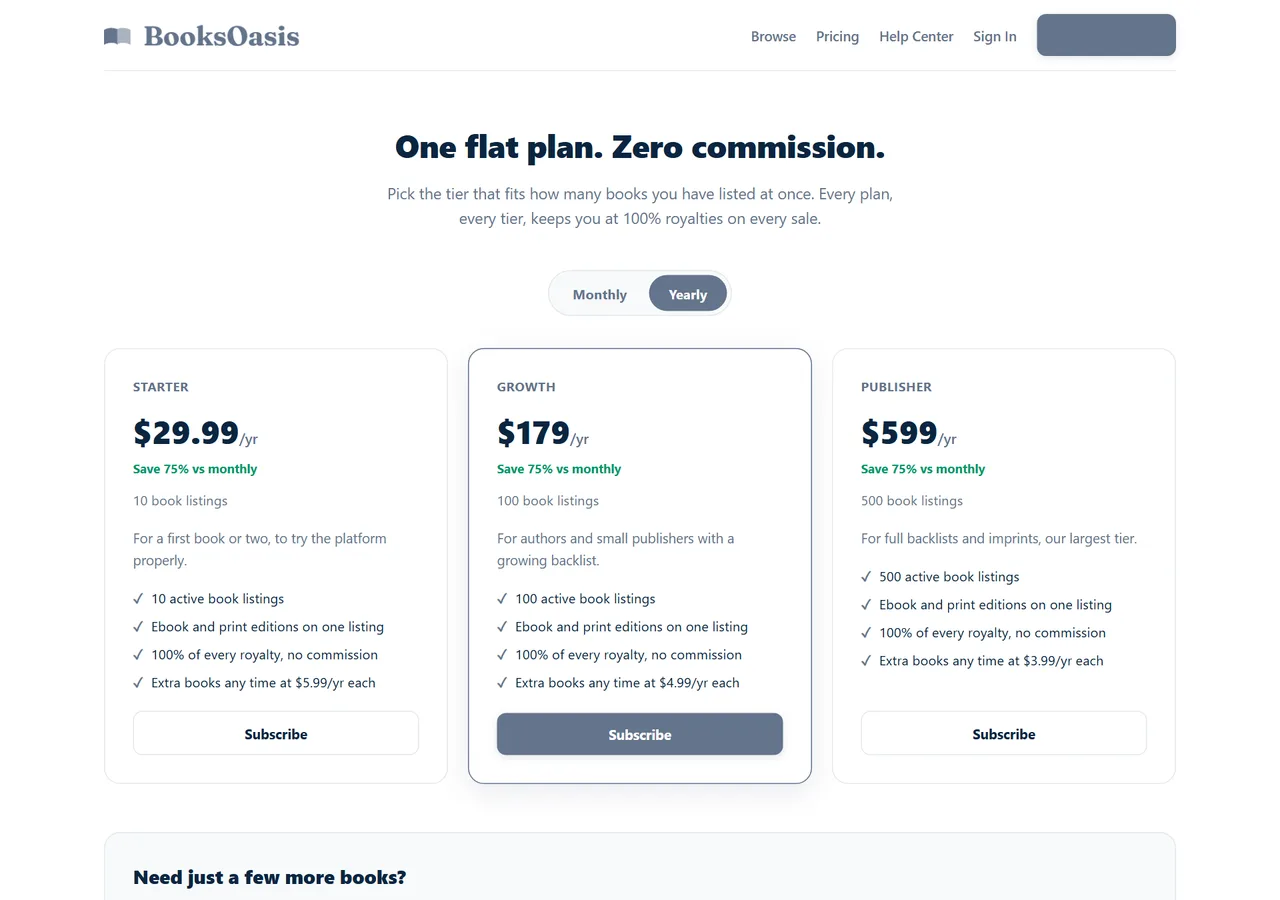
| Publishing platforms | Mostly free to list | Flat plans such as BooksOasis from $29.99/yr |
| Marketing | Newsletter, social media | Advertising and promotion sites |
Spend first where readers notice: editing and the cover.
Traditional or self-publishing?
It is worth being clear about the trade. Traditional publishers pay an advance, cover editing, design and printing, and can place books in bookshops, but authors typically earn around 25% of net receipts on ebooks and roughly 7.5% to 15% of list price on print, and give up control over price, cover and timing. Self-publishing reverses that: no advance, you pay production costs, but you keep far more of each sale and decide everything. Many authors now do both, choosing the route that suits each book.
How long each step takes
| Step | Typical time |
|---|---|
| Revision and beta readers | 1 to 3 months |
| Professional editing | 2 to 8 weeks, depending on the editor's schedule |
| Cover design | 1 to 6 weeks |
| Formatting | A few days to 2 weeks |
| Upload, proofs and fixes | 1 to 3 weeks |
| Launch preparation | 2 to 6 weeks, overlapping the steps above |
Book designers and editors often have waiting lists, so contact them early.
Where BooksOasis fits
Publishing on BooksOasis
- One listing for ebook, paperback and hardcover; five trim sizes from 5 by 8 to 8.5 by 11 inches.
- Automatic print-readiness checks and cover templates at the exact size for your page count.
- 100% of every ebook sale; print at printing cost plus a 30% handling fee on that cost.
What it doesn't do: BooksOasis doesn't distribute to other retailers. List here alongside your other platforms. You must be 18 or older to publish.
See plans and pricingEbook, paperback or hardcover first?
You don't have to launch every format at once. Many authors release the ebook first, because it has no printing cost and the fewest files, then add a paperback, and a hardcover later for readers who want a keepsake or gift. Non-fiction, children's books and gift books often do better leading with print. On BooksOasis, all three formats sit on one listing, so you can add a format whenever it is ready.
Protecting your work
Your book is protected by copyright as soon as you write it in most countries. Add a copyright page with the year and your name or imprint. Keep dated copies of your drafts, and read each platform's terms on rights before you publish. If you use images, quotations or song lyrics, make sure you have permission or that the use is allowed.
Common first-book mistakes
- Skipping editing to save time or money.
- Designing the cover yourself without studying the genre.
- Vague descriptions that don't tell readers why they should care.
- Pricing outside royalty bands.
- No newsletter, so readers who love the book can't hear about the next one.
- Expecting instant sales. Most books build slowly.
In short
Self-publishing is a series of manageable steps: write, edit, design, format, describe, choose platforms, price, upload, launch and repeat. Invest in editing and your cover, understand the royalty rules, list where your readers are, and keep writing. Your first book is the start of a catalog, not the end of a project.
Questions
How much does it cost to self-publish a book?
From very little, if you do most of the work yourself, to a few thousand dollars for professional editing, cover design and marketing. Publishing itself is free or low-cost on most platforms.
How long does it take to self-publish a book?
Once the manuscript is finished, preparing and publishing typically takes a few weeks to a few months, depending on editing, cover design and print proofs.
Do I need an ISBN to self-publish?
Not always. Ebooks can often be published without one, and some platforms offer free identifiers. Print books you want to sell through bookshops generally need an ISBN you own.
Can I self-publish on several platforms?
Yes, unless you enrol an ebook in KDP Select, which requires the ebook to be exclusive to Amazon. Print books can be sold anywhere.
What files do I need to publish on BooksOasis?
An EPUB for the ebook, and for print editions an interior PDF and a full-wrap cover PDF, plus one front cover image (ideally 1600 by 2400 pixels) used on the storefront.
Can I self-publish under a pen name?
Yes. Most platforms allow pen names, and BooksOasis lets a subscribed account create unlimited author names and imprints. Readers only see the name you choose.
What trim sizes does BooksOasis support for print?
Five: 5 by 8, 5.5 by 8.5, 6 by 9, 7 by 10 and 8.5 by 11 inches. Paperbacks can have 32 to 800 pages, and hardcovers 24 to 800.
Publish your book on BooksOasis
Ebook, paperback and hardcover on one listing. Keep 100% of every ebook sale.