Cover dimensions are simple once you know two facts: each store has a preferred shape, and every store shrinks your cover to a small thumbnail in its listings. Get both right and your cover looks sharp everywhere.
Ebook cover sizes at a glance
| Store | Ideal size | Shape | Formats |
|---|---|---|---|
| Amazon KDP | 2,560 x 1,600 px (height x width) | 1.6:1 | JPEG or TIFF, under 50MB |
| BooksOasis | 1600 x 2400 px (width x height) | 2:3 | JPG, PNG or WebP |
| Other stores | Check each store's current guidelines | Usually 1.5:1 to 1.6:1 | Usually JPG |
KDP's requirements in detail
- Ideal: 2,560 pixels tall by 1,600 pixels wide.
- Ratio: a height-to-width ratio of 1.6:1.
- Minimum: 1,000 pixels tall by 625 pixels wide.
- Maximum: 10,000 pixels on either side.
- Format: JPEG or TIFF, under 50MB.
KDP's cover image is also used as the cover inside the ebook in many readers' libraries, so a sharp, full-size file matters.
BooksOasis's requirements
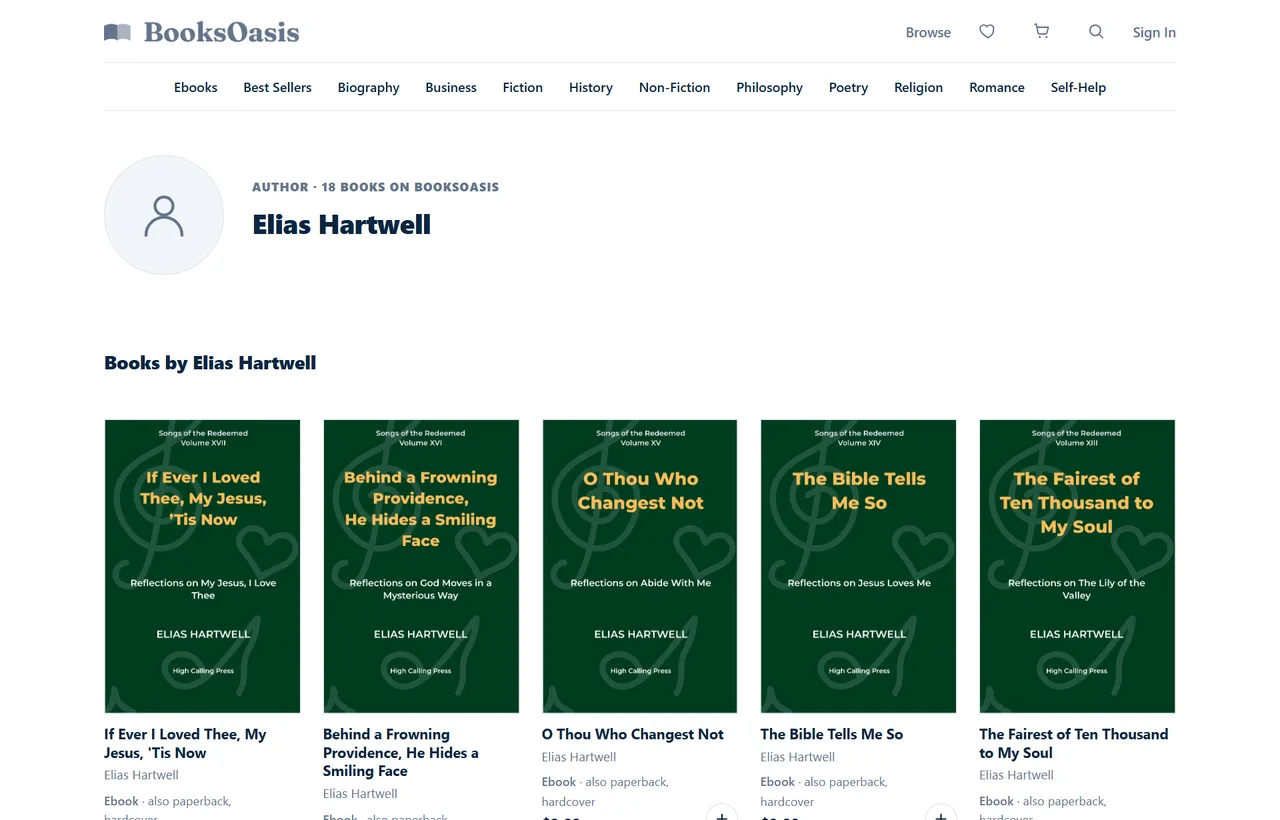
Every book on BooksOasis needs one front cover image, ideally 1600 x 2400 pixels, as JPG, PNG or WebP. It's shared by all formats (ebook, paperback and hardcover) and shown across the store: on genre shelves, search results, series pages, author pages and the book's own page. Print editions also need a separate full cover PDF for printing.
Why the shape matters: cropping in store frames
Stores display covers in frames of a fixed shape. If your cover's shape differs, it's either cropped or padded. BooksOasis shows covers in a 2:3 frame that the image fills, so a taller cover is trimmed slightly at the top and bottom.
| Cover you upload | Shown in a 2:3 frame |
|---|---|
| 1600 x 2400 (2:3) | Shown in full |
| 1600 x 2560 (1.6:1, KDP shape) | About 80 px trimmed from the top and from the bottom |
| Wider than 2:3 | Trimmed at the sides |
80 pixels out of 2,560 is about 3% at each end: invisible for most designs, but enough to clip an author name set right against the bottom edge. The fix is simple: keep text a comfortable distance from every edge, or upload a 2:3 version.
One master file for every store
- Design large.Work on a canvas at least 1600 pixels wide, and larger if you can, so you can export sharp files for any store.
- Plan a safe zone.Keep the title, subtitle and author name within the central area, clear of the top and bottom few percent.
- Extend the background.Let background artwork run a little beyond where you expect the edges to be, so either shape can be cut from it.
- Export per store.A 1600 x 2560 JPEG for KDP, a 1600 x 2400 file for BooksOasis, and whatever other stores ask for.
- Check thumbnails.View each export at about 100 pixels tall before uploading.
Design for the thumbnail
On most stores, readers first see your cover small: in a grid of books, a search result, or a list on a phone. At that size, detail disappears and only strong shapes and big words survive.
- Title large and high-contrast. Readable at thumbnail size.
- One focal image. Busy collages turn to mush when small.
- Genre signals. Readers recognise genres by typography, color and imagery; match the conventions of books you'd sit beside.
- Author name readable, especially if you have an established readership.
- Series marking consistent across volumes, so readers spot the next book.
Ebook cover vs print cover
| Ebook cover | Print cover | |
|---|---|---|
| What it is | Front only | Full wrap: back, spine and front |
| Size | Pixels (for example 1600 x 2400) | Inches, based on trim size, page count and paper |
| File | JPG, PNG, WebP or TIFF | Usually a print-ready PDF |
| Color | RGB | As the printer specifies |
| Extras | None | Bleed, spine text, barcode area, safe zones |
Most authors design the print wrap first and crop the front panel for the ebook, or design the front first and extend it into a wrap. Either works, as long as the front panel reads well on its own. Print covers need a template for the exact trim and page count; see book print margins for safe areas.
Covers for a series
Series covers work best as a family: the same title typography, the same placement for the series name and number, and a shared color approach with a different accent for each volume. On store pages that show a series together, a consistent family tells readers at a glance that the books belong together and in which order. Decide the template with the whole series in mind, including where volume numbers go if the series reaches double figures.
Square covers for audiobooks and promotions
Audiobook stores generally use square covers, so an audiobook needs a square version of your design rather than a stretched one. Social media posts and ads often suit square or landscape crops too. If your master design has extended background artwork and a flexible layout, you can create these crops without redesigning the cover.
Briefing a cover designer
If you hire a designer, ask for everything you'll need up front:
- The layered master file, or at least a high-resolution flattened version.
- An ebook export at 1600 x 2560 and another at 1600 x 2400.
- A print wrap for each format and trim size, built from the platform's template for your final page count.
- A square version for audiobooks and social media.
- Confirmation of the licences for any fonts and images used.
Asking at the start is usually cheaper than asking for extra versions later, and it saves weeks when you add a format or a new store.
Images, fonts and rights
Every image and font on your cover needs a licence that covers commercial use on a book cover. Stock sites differ: some standard licences limit print runs or exclude certain uses, and some fonts need a separate licence for commercial work. Keep copies of the licences with your book files. Never use images found through a web search; they almost always belong to someone.
Updating a cover later
A new cover can revive a book that isn't selling. Most stores let you replace the cover image at any time; print editions need a new wrap file and may need a new proof. When you update, change every store at once so readers don't see mismatched covers, and update your website, newsletter images and ads too.
Common cover mistakes
- Text too close to the edge, so it's clipped in some store frames.
- Tiny title type that looks elegant full-size and vanishes as a thumbnail.
- Low-resolution images stretched up to size, which look blurry on high-density screens.
- A white or very pale cover with no border, which can disappear against a white store page.
- Uploading the print wrap as the ebook cover.
- Mismatched series covers, which make readers miss that books belong together.
File size and compression
Save ebook covers as high-quality JPEGs (or PNG or WebP where accepted) rather than heavily compressed files. Compression artefacts show up as blotches in smooth gradients and around lettering, especially on dark covers. Keep the file comfortably under each store's limit (under 50MB on KDP) without squeezing quality; a well-saved 1600 x 2560 JPEG is usually only a few megabytes.
Checking your cover before you upload
- Shrink it to about 100 pixels tall. Can you read the title?
- View it in greyscale. Does it still have contrast?
- Put it next to the top ten covers in your category. Does it look like it belongs?
- Check it on a phone and on a dark-mode screen.
- Ask two or three readers of your genre what kind of book they think it is.
- Crop it to 2:3 and to 1.6:1. Does anything important get cut?
Adding your cover on BooksOasis
When you list a book, you upload one front cover image and it appears across the store. Books sit on genre shelves, author pages and series pages in consistent 2:3 frames, so a cover made to 1600 x 2400 shows exactly as designed.
A book can't be submitted without a cover image, and the submit check lists anything missing alongside the other requirements, such as a description of at least 100 characters and at least one genre.
What BooksOasis does not do
- It doesn't design covers for you.
- It doesn't resize or re-crop your master file; it displays the image you upload in a 2:3 frame.
- Print editions still need their own full cover PDF.
Sources
Checked September 2026: KDP cover image guidelines; KDP ebook cover criteria; BooksOasis: editions and print readiness.
In short
Design one high-resolution master, keep the words clear of the edges, and export 1600 x 2560 for KDP and 1600 x 2400 for BooksOasis and other 2:3 stores. Then test every export as a thumbnail, because that's where your cover does most of its work.
Questions
What size should an ebook cover be?
For KDP, 2,560 pixels tall by 1,600 pixels wide (a 1.6:1 ratio). For BooksOasis, 1600 x 2400 pixels (2:3). A high-resolution master lets you export both.
What is KDP's minimum ebook cover size?
1,000 pixels tall by 625 pixels wide, with a maximum of 10,000 pixels on either side.
What file formats can I use?
KDP accepts JPEG or TIFF under 50MB. BooksOasis accepts JPG, PNG or WebP for the cover image.
Is 1600 x 2400 or 1600 x 2560 better?
Neither is universally better. 1600 x 2560 matches KDP's 1.6:1 ideal; 1600 x 2400 matches the 2:3 shape many stores display, including BooksOasis. Export the shape each store asks for from one master.
Will a KDP-sized cover work on BooksOasis?
Yes, but BooksOasis shows covers in a 2:3 frame, so a 1600 x 2560 cover loses about 80 pixels from the top and bottom. Keep your title and author name away from the very top and bottom edges, or upload a 1600 x 2400 version.
Is the ebook cover the same as the print cover?
No. The ebook cover is just the front. A print cover is a full wrap (back, spine and front) sized for your trim and page count.
What resolution should an ebook cover be?
Pixel dimensions are what matter for ebooks. Work at a high resolution in your design file and export at the pixel size each store asks for.
Should I use RGB or CMYK?
RGB for ebook covers, since they're shown on screens. CMYK is for print covers where the printer asks for it.
How big should the title be?
Big enough to read as a small thumbnail, since most readers first see your cover at a few centimetres tall in a list or grid.
Can I use the same cover image for all formats?
On BooksOasis, yes: one front cover image is shared by the ebook, paperback and hardcover listings. Print editions still need their own full cover PDF.
What size is an audiobook cover?
Audiobook stores generally use square covers. Make a square version from your master design rather than stretching the ebook cover, and check the exact size your audiobook platform asks for.
Can I change my ebook cover after publishing?
Yes. Most stores let you replace the cover image at any time. Update every store together, and remember print editions need a new cover file too.
Do I need a licence for cover images and fonts?
Yes. Every image and font must be licensed for commercial use on a book cover. Keep copies of the licences, and never use images found through a web search.
List your book with its best cover
Upload one cover image for every format on BooksOasis, from $29.99 a year.